Technical Help? 98445-39000  |  Sales: 97286-22667 (Mon - Sat, 11 AM - 7 PM)
Instant Delivery 100% Genuine Keys Secure Payment
PC Deals India
Technical Help? 98445-39000
Sales: 97286-22667
(Mon - Sat, 11 AM - 7 PM)
Windows Server 2012
 R2 Data Center Lifetime
Microsoft Server

Microsoft Server

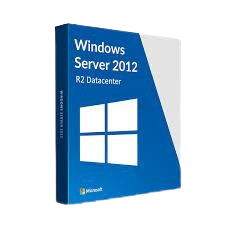
Windows Server 2012 R2 Data Center Lifetime

Instant Email & WhatsApp Delivery

Buy 1 Unit
1,550 /unit
GST Inclusive
Quantity:

Product Description

Windows Server 2012-R2 Data Center

Step 1: Download Windows Server 2012-R2

Download from Microsoft:

Microsoft Windows Server 2012-R2 Download


Step 2: Install Windows Server

  1. Download the ISO file.
  2. Create a bootable USB using Rufus.
  3. Boot your server/PC from the USB.
  4. Select Windows Server 2022 Data Center (Desktop Experience).
  5. Complete the installation.

Step 3: Activate Windows

  1. Press Windows Key.
  2. Search Activation Settings.
  3. Click Change Product Key.
  4. Enter your purchased key.
  5. Click Activate.

If Evaluation Version is Installed

  1. Open Command Prompt as Administrator.
  2. Check current edition:
DISM /online /Get-CurrentEdition
  1. Convert Evaluation to Data Center:
DISM /online /Set-Edition:ServerDataCenter /ProductKey:YOUR-PRODUCT-KEY /AcceptEula

  1. Restart the server.
  2. After restart, check activation:

Activation Procedure

Frequently Asked Questions

Processing your order...