Technical Help? 98445-39000  |  Sales: 97286-22667 (Mon - Sat, 11 AM - 7 PM)
Instant Delivery 100% Genuine Keys Secure Payment
PC Deals India
Technical Help? 98445-39000
Sales: 97286-22667
(Mon - Sat, 11 AM - 7 PM)
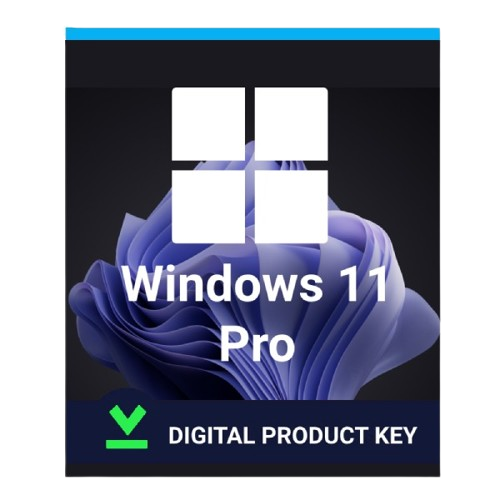
Windows 11 Pro 
 Lifetime Validity
Microsoft Windows

Microsoft Windows

Windows 11 Pro Lifetime Validity

Instant Email & WhatsApp Delivery

Buy 1 Unit
390 /unit
GST Inclusive
Buy 2 Units
370 /unit
GST Inclusive
SAVE TOTAL ₹40
Buy 5 Units
340 /unit
GST Inclusive
SAVE TOTAL ₹250
Hot Hot Selling
Buy 20 Units
320 /unit
GST Inclusive
SAVE TOTAL ₹1,400
Hot Hot Selling
Buy 30 Units
310 /unit
GST Inclusive
SAVE TOTAL ₹2,400
Buy 50 Units
295 /unit
GST Inclusive
SAVE TOTAL ₹4,750
Quantity:

Product Description


Windows 11 Pro Download & Activation Guide

Step 1 — Download Windows 11 Pro ISO

Download official Windows 11 installation media directly from Microsoft:

Microsoft Windows 11 Download Page

You can choose either:

  • Installation Assistant (Upgrade existing PC)
  • Create Windows 11 Installation Media
  • Download Windows 11 Disk Image (ISO)

Recommended option:
Download Windows 11 ISO for clean installation.


Step 2 — Create Bootable USB Drive

Requirements

  • USB Flash Drive (Minimum 8GB)
  • Stable Internet Connection
  • Backup of important USB data (USB will be formatted)


Method 1 — Microsoft Media Creation Tool

Download directly from Microsoft

Windows 11 Media Creation Tool

Steps:

  1. Run Media Creation Tool.
  2. Select:
    • Language
    • Edition
    • Architecture (64-bit)
  3. Choose:
    • USB Flash Drive
  4. Tool will automatically create bootable USB.

Step 3 — Install Windows 11 Pro

  1. Insert bootable USB into PC.
  2. Restart PC.
  3. Open Boot Menu:
    • Common Keys: F12 / F9 / ESC / DEL
  4. Select USB Drive.
  5. Windows Setup will start.
  6. Choose:
    • Language
    • Keyboard Layout
  7. Click Install Now.

Step 4 — Activate Windows 11 Pro

After installation:

  1. Connect to internet.
  2. Open:

    Settings → System → Activation

  3. Click Change Product Key
  4. Enter your purchased 25-character key.
  5. Click Activate

Once successful, status will show:

Windows is activated with a digital license

Microsoft activation guide:

Microsoft Windows Activation Support


If Activation Fails

Check Installed Edition

Your key works only with:

✅ Windows 11 Pro

To verify:

  • Settings → System → Activation

Run Activation Troubleshooter

Go to:

  • Settings → System → Activation → Troubleshoot

Important Notes

  • Compatible with both 32-bit & 64-bit systems where supported.

  • Internet connection recommended during activation.

  • One license valid for one PC unless specified otherwise.

  • Reinstallation on same hardware generally works normally.

  • Secure Boot and TPM 2.0 may be required depending on system configuration.

Official Windows 11 system requirements:

Windows 11 System Requirements


Terms & Conditions

Product Type

  • Digital product delivered electronically.
  • No physical DVD/USB shipped.

Delivery

  • Product key delivery usually instant after payment confirmation.

Compatibility

  • Customer must install correct edition:
    • Windows 11 Pro

Usage

  • License intended for activation of eligible Windows installations only.

Refund Policy

  • Digital products are non-returnable.
  • Replacement support available for unused/non-working keys after verification.

Support

  • Basic installation and activation support provided.
  • Remote assistance availability depends on support policy.

Liability

  • Microsoft may modify activation policies at any time.
  • Customer responsible for ensuring device compatibility and proper installation procedure.


Activation Procedure

Frequently Asked Questions

Processing your order...